Ergonomic replacement
Designed to replace WASD with a more natural hand posture and less fatigue.


GGPad: Good Game Pad. GG for fair play spirit, Pad for total control.
An ergonomic, programmable input device designed to replace traditional controller or keyboard movement. Built for speed, comfort, and total control.
Product demo
Precision matters
Designed to replace WASD with a more natural hand posture and less fatigue.
Every key can be mapped to actions, layers, or combos for peak control.

Magnetic sensing delivers ultra-smooth input with zero drift over time.
Mechanical switches tuned for fast actuation and reliable feedback, with the option to configure different Cherry MX switches and different keycaps to your preference.

Switch profiles on-device or show live session stats while you play.

Profiles & modes
In competitive tournaments, top players use mouse and keyboard: the mouse for precise, fast aiming based only on individual skill, while the keyboard is replaced by an ergonomic, precise, multifunction pad.
Use GGPad as a MIDI controller for live performance or production.
Navigate 3D workflows with smooth, multi-axis input.
Software + hardware
GGPad is configurable via Windows, macOS, Linux, or directly on-device. A web app extends your layout with virtual keys from your phone.
Signature features

The GGPad hand contour reduces wrist strain while keeping every movement within reach. Designed for long, high-focus sessions.
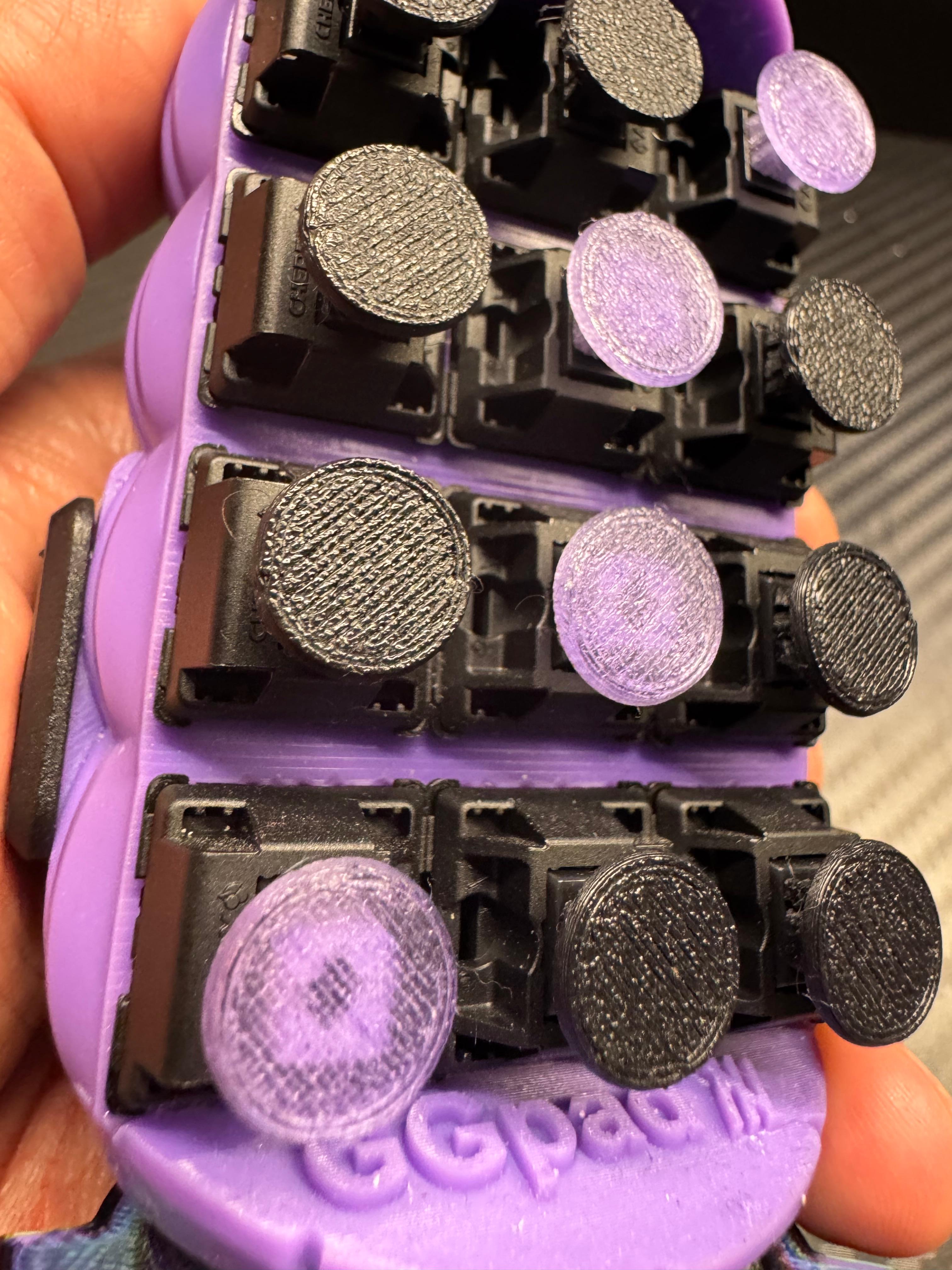
Mechanical keys provide crisp tactile response while the Hall effect joystick ensures drift-free analog control.

Extend your layout with a second screen. Use your phone as a dynamic macro deck or quick-access panel.

Transform GGPad into a music controller or a 3D navigation tool. One device, multiple worlds.
Use cases

Quick-switch profiles for competitive shooters with macro-ready loadouts.

Trigger samples, loops, and effects with velocity-ready mappings.

SpaceMouse-style control for CAD, 3D sculpting, and navigation.
Ergonomic control
The compact footprint and natural hand position make GGPad fast to learn. A 3x4 key matrix keeps every action within easy reach, and a dedicated FN switch doubles your available commands instantly.

Configurator
Use Windows, macOS, or Linux software, or configure directly on-device. Sync your layouts to the display and jump between game profiles instantly.
Why GGPad
Design highlight
Curved form factor engineered for long sessions.
Program complex sequences with per-profile macros.
Add virtual keys with a companion web app.
Early access
Join the founders list to secure launch pricing and exclusive skins.